The best CAM software for CNC milling depends on your shop’s complexity, budget, and existing CAD ecosystem. Mastercam remains the industry standard for professional multi-axis work. Fusion 360 offers the best value at $545/year with integrated CAD/CAM for 2.5- to 5-axis milling. SolidCAM is the top choice for SolidWorks users thanks to its iMachining technology. For complex aerospace and mold work, hyperMILL and PowerMill justify their premium pricing. This guide compares 10 CAM platforms on features, pricing, axis support, and best-fit use cases with a head-to-head comparison table.
Your CAM software determines how fast your CNC machine runs, how long your tools last, and how many good parts come off the table before something goes wrong. A shop running optimized adaptive toolpaths on a $60,000 machine will outproduce a shop running basic toolpaths on a $200,000 machine.
That’s not an exaggeration. One documented case study showed a shop reducing cycle time from 4 hours to 1.5 hours per part after switching CAM software, saving $37,500 annually on just 200 parts. The software paid for itself in 2.5 months.
Choosing the best CAM software for CNC milling is one of the highest-ROI decisions you’ll make. This guide evaluates 10 platforms based on what actually matters: toolpath quality, axis support, ease of use, post-processor availability, and total cost of ownership.
What Does CAM Software Actually Do in CNC Milling?
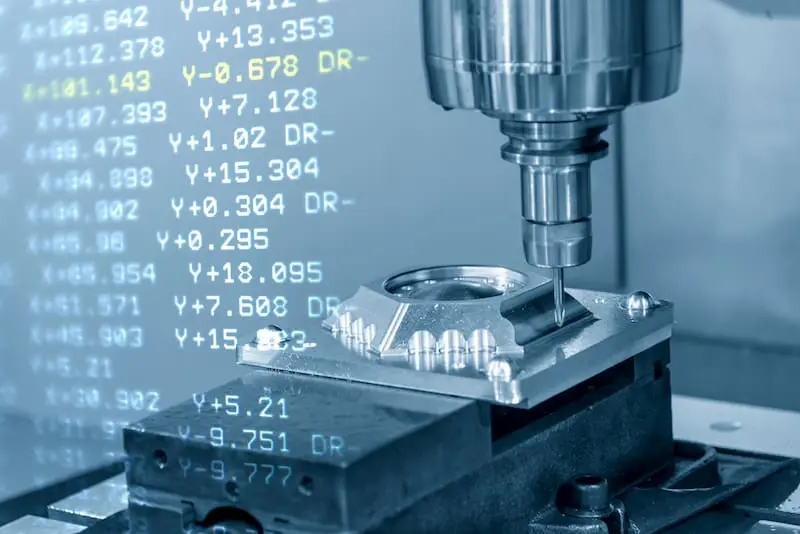
CAM (Computer-Aided Manufacturing) software translates your 3D CAD model into toolpaths: the precise instructions that tell your CNC machine how to move the cutting tool through the material. The CAM software determines the cutting strategy (roughing, finishing, rest milling), tool selection, feeds and speeds, step-over distances, and approach/retract movements.
Good CAM software produces toolpaths that: remove material efficiently (minimizing cycle time), maintain consistent chip load (extending tool life), avoid collisions (protecting the machine and part), and achieve the specified surface finish (reducing post-processing).
The difference between basic CAM and advanced CAM is measurable. Adaptive clearing strategies (available in Fusion 360, Mastercam, and others) maintain constant tool engagement by varying the toolpath shape, which can reduce roughing time by 30–70% compared to conventional pocket strategies. That’s not a software marketing claim. It’s physics: constant chip load means higher average feed rates without exceeding peak cutting forces.
How to Choose CAM Software for Your CNC Milling Operation
Before comparing platforms, identify your requirements:
What axes do you need? 2.5D (pockets, holes, contours) covers most simple milling work. 3-axis adds 3D surface machining. 3+2 (positional 5-axis) handles multi-face parts. Simultaneous 5-axis is required for complex contours, impellers, and turbine blades. Don’t pay for 5-axis capability if you only do 2.5D work.
What CAD software do you use? If you design in SolidWorks, SolidCAM or CAMWorks integrate directly. If you use Inventor, Fusion 360 or HSMWorks is seamless. If you receive STEP files from clients and don’t do design, standalone CAM (Mastercam, GibbsCAM) works fine.
What’s your budget? CAM software ranges from free (Fusion 360 personal) to $50,000+ (hyperMILL full suite). The right choice balances capability against what your shop actually needs.
What machines do you run? Post-processors translate CAM output into machine-specific G-code. Verify that the CAM software has tested post-processors for your specific CNC controls (Fanuc, Haas, Siemens, Heidenhain, etc.).
How experienced are your programmers? Some CAM systems (Fusion 360, Hurco WinMax) prioritize accessibility. Others (Mastercam, NX CAM) assume experienced programmers who can manage complex setups.
The 10 Best CAM Software Platforms for CNC Milling in 2026
1. Mastercam
Developer: CNC Software (now part of Sandvik) Axes: 2.5D through simultaneous 5-axis Price: Perpetual license starting at approximately $6,000–$15,000 for milling modules; full multi-axis suite $25,000–$50,000+. Annual maintenance approximately 20% of license cost. CAD integration: Built-in CAD (basic) + imports SolidWorks, Inventor, STEP, IGES Post-processors: Largest library in the industry
Mastercam is the most widely used CAM software worldwide. It dominates professional shops because of its deep toolpath library, reliable post-processors, and massive user community. Feature-based machining automatically analyzes part geometry and suggests machining strategies. Dynamic Motion roughing maintains consistent chip load for longer tool life and faster cycle times.
Strengths: widest toolpath variety, most post-processor support, largest training ecosystem, proven on the most machine types. Weaknesses: CAD modeling is basic compared to SolidWorks or Fusion. Modular licensing adds up fast. Interface feels dated to some users.
Best for: established job shops, production facilities, and multi-axis programming where toolpath variety and post-processor reliability are critical.
2. Autodesk Fusion 360
Developer: Autodesk Axes: 2.5D through simultaneous 5-axis (with Manufacturing Extension) Price: $545/year base subscription (includes 3-axis CAM + 2-axis turning). Manufacturing Extension adds 5-axis, probing, and advanced toolpaths for additional cost. Free for personal/startup use under $100K revenue. CAD integration: Built-in parametric CAD (excellent) Post-processors: Extensive free library, community-contributed posts
Fusion 360 has disrupted the CAM market by offering professional-grade capability at a fraction of the traditional cost. Adaptive clearing, 3D finishing, and multi-axis strategies are legitimate production tools. The integrated CAD/CAM workflow means design changes automatically update toolpaths.
Strengths: best value in the market by a wide margin. Excellent integrated CAD. Cloud collaboration. Active community with free post-processors. Low barrier to entry. Weaknesses: cloud dependency (requires internet). 5-axis capabilities are newer and less proven than Mastercam on complex work. Steep learning curve for advanced multi-axis.
Best for: small to mid-size shops, startups, design-to-manufacturing workflows, and anyone wanting professional CAM without the $15,000+ entry price.
3. SolidCAM
Developer: SolidCAM Ltd. Axes: 2.5D through simultaneous 5-axis Price: Perpetual license starting at approximately $5,000 for 2.5D; full 5-axis suite $15,000–$30,000+ CAD integration: Runs directly inside SolidWorks and Inventor Post-processors: Extensive library for major controls
SolidCAM’s killer feature is iMachining, a patented toolpath strategy that optimizes chip load and tool engagement automatically. iMachining routinely delivers 30–70% cycle time reductions on roughing operations while extending tool life. Toolpath associativity means any SolidWorks design change instantly updates the CAM program.
Strengths: seamless SolidWorks integration. iMachining genuinely delivers measurable productivity gains. Associative toolpaths save reprogramming time on design changes. Weaknesses: requires SolidWorks or Inventor (no standalone version). Pricing gets expensive with all modules. Less community support than Mastercam or Fusion.
Best for: SolidWorks-based shops where design and manufacturing happen in the same team, and where iMachining’s cycle time reductions justify the investment.
4. hyperMILL
Developer: OPEN MIND Technologies Axes: 2.5D through simultaneous 5-axis (specialty in 5-axis) Price: $20,000–$50,000+ depending on modules CAD integration: Built-in hyperCAD-S, imports major CAD formats Post-processors: Comprehensive for high-end machines
hyperMILL specializes in complex 5-axis milling for aerospace, mold/die, and turbomachinery. Its 5-axis strategies (swarf cutting, auto-tilt, collision avoidance) are among the most advanced available. Integrated simulation provides comprehensive collision checking.
Strengths: best-in-class 5-axis toolpaths. Excellent for complex surfaces, impellers, and mold work. Strong collision avoidance. Weaknesses: premium price. Overkill for shops doing primarily 2.5D or 3-axis work. Steeper learning curve.
Best for: aerospace manufacturers, mold/die shops, and any facility running complex simultaneous 5-axis work where toolpath quality directly affects part quality and cycle time.
5. Autodesk PowerMill
Developer: Autodesk Axes: 3-axis through simultaneous 5-axis Price: Subscription approximately $5,000–$8,000/year CAD integration: Imports major CAD formats (primarily CAM-only, not CAD) Post-processors: Comprehensive library
PowerMill is optimized for high-speed and complex 3D surface machining. It excels at mold cavities, dies, and large freeform surfaces where smooth toolpath transitions directly impact surface finish. Acquired by Autodesk, it now benefits from broader ecosystem integration.
Strengths: exceptional 3D surface machining. Smooth toolpath transitions produce excellent surface finish on complex geometries. Strong in mold/die and aerospace. Weaknesses: no integrated CAD (it’s CAM-only). Annual subscription cost. Less suited for simple 2.5D work.
Best for: mold and die shops, aerospace companies machining large freeform surfaces, and any application where surface finish quality on complex 3D geometry is the primary requirement.
6. CAMWorks
Developer: HCL Technologies (Geometric) Axes: 2.5D through simultaneous 5-axis Price: Starting approximately $5,000 for base module CAD integration: Embedded in SolidWorks Post-processors: Available for major controls
CAMWorks is a rules-based, feature-recognition CAM system that runs inside SolidWorks. It automatically identifies machinable features (holes, pockets, bosses) and applies pre-defined machining strategies, significantly reducing programming time on families of similar parts. Its TechDB knowledge base stores your shop’s proven machining strategies for reuse.
Strengths: fastest programming time for repetitive part families. Automatic feature recognition reduces manual input. Deep SolidWorks integration. Weaknesses: less manual control over toolpath details than Mastercam. Smaller community. Rules-based approach requires upfront setup of TechDB.
Best for: shops machining families of similar parts in SolidWorks where programming speed matters more than ultimate toolpath customization.
7. Siemens NX CAM
Developer: Siemens Digital Industries Axes: 2.5D through simultaneous 5-axis + mill-turn, additive Price: $15,000–$40,000+ per seat (perpetual); subscription options available CAD integration: NX CAD (fully integrated) Post-processors: Comprehensive, supported by Siemens
NX CAM is the top-tier integrated CAD/CAM/CAE platform. It handles everything from simple milling to complex multi-axis machining, mill-turn, and additive manufacturing in a single environment. Machine simulation includes full kinematic modeling for collision detection.
Strengths: most complete integrated platform (CAD + CAM + simulation + manufacturing planning). Best-in-class for large enterprises with complex workflows. Weaknesses: highest learning curve. Expensive. Overkill for small shops. Requires significant training investment.
Best for: large manufacturers, aerospace OEMs, and enterprises running complex multi-process workflows where full digital thread integration justifies the investment.
8. SprutCAM X
Developer: SPRUT Technology Axes: 2.5D through 5-axis + robots Price: Starting approximately $3,000–$5,000; full suite around $10,000–$15,000 CAD integration: Built-in solid modeler + imports major formats Post-processors: Turnkey posts for many machines, including industrial robots
SprutCAM stands out for its robot machining support and relatively affordable pricing for multi-axis capability. It supports CNC mills, lathes, wire EDM, and industrial robots in a single platform. Machine simulation is included.
Strengths: best value for multi-axis capability. Robot machining support is unique at this price point. Affordable entry to 5-axis programming. Weaknesses: smaller user community than Mastercam or Fusion. Less common in US shops. Fewer training resources.
Best for: shops exploring multi-axis or robot machining on a budget, and facilities using industrial robots for material removal.
9. BobCAD-CAM
Developer: BobCAD-CAM Inc. Axes: 2.5D through 5-axis Price: Perpetual license starting at $995 for 2.5D milling; full 5-axis suite up to $14,995. Subscriptions from $1,495/year. CAD integration: Built-in CAD + imports major formats Post-processors: Available for major controls
BobCAD-CAM targets the value segment with modular pricing that lets shops buy only the capability they need. The 2.5D module at $995 is one of the most affordable entry points for professional CAM. Their wizard-based interface guides less experienced programmers through setup.
Strengths: most affordable modular professional CAM. Wizard-based interface is beginner-friendly. Good value for 2.5D and 3-axis work. Weaknesses: advanced toolpaths don’t match Mastercam or Fusion quality. Smaller community. Post-processor library is more limited.
Best for: budget-conscious small shops needing professional CAM at the lowest entry cost, especially for 2.5D and 3-axis work.
10. GibbsCAM
Developer: 3D Systems Axes: 2-axis through 5-axis + mill-turn Price: Modular licensing; approximately $8,000–$20,000+ depending on configuration CAD integration: Imports major formats (primarily CAM-focused) Post-processors: Strong library for production machines
GibbsCAM has a loyal following in production machining environments, particularly for mill-turn and multi-spindle work. Its interface focuses on programming efficiency for operators running production parts. Strong turning and mill-turn programming capability.
Strengths: excellent mill-turn programming. Production-oriented interface. Strong turning capability alongside milling. Weaknesses: CAD capability is limited. Smaller market share means fewer community resources. Development pace has slowed under 3D Systems.
Best for: production machining environments with mill-turn machines, and shops where turning and milling are equally important.
Head-to-Head Comparison Table
| CAM Software | Axes Supported | Price Range | CAD Integration | Strength | Best For |
|---|---|---|---|---|---|
| Mastercam | 2.5D–5-axis | $6K–$50K+ (perpetual) | Basic built-in + imports | Widest toolpath library, most posts | Professional multi-axis job shops |
| Fusion 360 | 2.5D–5-axis | $545/yr (base) | Excellent built-in | Best value, integrated CAD/CAM | Startups, small/mid shops, design-to-mfg |
| SolidCAM | 2.5D–5-axis | $5K–$30K+ (perpetual) | SolidWorks/Inventor embedded | iMachining cycle time reduction | SolidWorks shops |
| hyperMILL | 2.5D–5-axis | $20K–$50K+ | hyperCAD-S + imports | Best 5-axis toolpaths | Aerospace, mold/die, turbomachinery |
| PowerMill | 3-axis–5-axis | $5K–$8K/yr | CAM-only (imports) | Complex 3D surface machining | Mold/die shops, large freeform surfaces |
| CAMWorks | 2.5D–5-axis | $5K+ (perpetual) | SolidWorks embedded | Automatic feature recognition | Repetitive part families in SolidWorks |
| NX CAM | 2.5D–5-axis+ | $15K–$40K+ | NX CAD (fully integrated) | Most complete enterprise platform | Large manufacturers, aerospace OEMs |
| SprutCAM X | 2.5D–5-axis + robots | $3K–$15K | Built-in + imports | Robot machining, affordable multi-axis | Budget multi-axis, robot machining |
| BobCAD-CAM | 2.5D–5-axis | $995–$15K (perpetual) | Built-in + imports | Most affordable professional CAM | Budget small shops, 2.5D/3-axis work |
| GibbsCAM | 2-axis–5-axis | $8K–$20K+ | CAM-focused (imports) | Mill-turn programming | Production machining, mill-turn shops |
Which CAM Software Delivers the Best ROI?
ROI depends on how much the software saves you in cycle time, programming time, and tool life versus what it costs.
For a shop spending $15,000/year on outsourced programming or running unoptimized toolpaths:
Fusion 360 at $545/year delivers immediate ROI if it replaces even a few hours of monthly programming time. The barrier to experimentation is essentially zero.
For a shop running 200+ programmed parts annually:
Mastercam or SolidCAM at $15,000–$25,000 pays for itself if adaptive toolpaths save even 30 minutes per part. At $75/hour machine rate, 200 parts x 0.5 hours = $7,500 annually in cycle time savings alone, plus reduced tool costs and scrap.
For an aerospace shop running complex 5-axis:
hyperMILL or NX CAM at $25,000–$50,000 pays for itself on the first complex 5-axis job that would have required multiple setups or secondary operations on a less capable CAM system.
The common mistake: buying the cheapest CAM software and accepting slower cycle times for years. The cost difference between a $5,000 CAM system and a $15,000 system is $10,000 once. The cycle time difference on 500 parts per year at $75/hour can be $25,000+ annually, every year.
The Alternative: Skip CAM Software Entirely and Outsource
If you’re reading this guide because you need CNC milled parts (not because you run a machine shop), consider whether you need CAM software at all.
When you outsource CNC milling to a factory-direct manufacturer, their programmers use production-grade CAM systems (typically Mastercam, NX, or hyperMILL) with years of optimized parameters for your specific materials. You send a CAD file, they handle the CAM programming, machining, inspection, and surface finishing.
This approach makes sense when: you need parts, not programming capability; your volume doesn’t justify a machine + software investment; your parts require multi-axis machining that demands experienced programmers; or you’d rather spend engineering time on product development, not CAM programming.
Get an instant quote from Yicen Precision. Upload your CAD file and let production-grade CAM programming, 300+ CNC machines, and 50+ materials handle the manufacturing. Tolerances to ±0.005 mm, delivery from 24 hours.
Frequently Asked Questions
What is the most popular CAM software for CNC milling?
Mastercam is the most widely used professional CAM software worldwide, dominating the market in job shops and production facilities. Fusion 360 has captured the largest share of the small shop and startup market due to its $545/year pricing and integrated CAD/CAM workflow. Together, these two platforms cover the majority of CNC milling programming globally.
Is Fusion 360 good enough for professional CNC milling?
Yes, for most 2.5D through 3+2 axis work. Fusion 360’s adaptive clearing, 3D finishing, and turning strategies are production-proven in thousands of shops. For complex simultaneous 5-axis work (impellers, turbine blades, mold cavities with deep undercuts), dedicated CAM systems like Mastercam, hyperMILL, or NX CAM offer more toolpath variety and control. Many established shops add Fusion 360 as a secondary system for simpler work while maintaining Mastercam for complex jobs.
How much does CAM software for CNC milling cost?
Prices range from free (Fusion 360 personal license) to $50,000+ (hyperMILL or NX CAM full suite). Fusion 360 commercial starts at $545/year. BobCAD-CAM starts at $995 perpetual for 2.5D milling. Mastercam starts around $6,000 for basic modules. SolidCAM starts around $5,000. Annual maintenance on perpetual licenses typically adds 15–20% of the license cost per year.
What CAM software is best for a SolidWorks user?
SolidCAM and CAMWorks both integrate directly inside SolidWorks, preserving full associativity between design and toolpaths. SolidCAM’s iMachining technology offers measurable cycle time reductions of 30–70% on roughing operations. CAMWorks’ feature-based automation is faster for programming families of similar parts. Mastercam also offers a SolidWorks integration add-on.
Do I need CAM software if I outsource my CNC milling?
No. If you outsource parts to a CNC machining service, the supplier handles CAM programming as part of their production workflow. You provide a 3D CAD file (STEP, STP, or SLDPRT format) with tolerances and material specifications. The supplier’s programmers generate optimized toolpaths using their production-grade CAM systems. This eliminates the need for you to purchase, learn, or maintain CAM software.