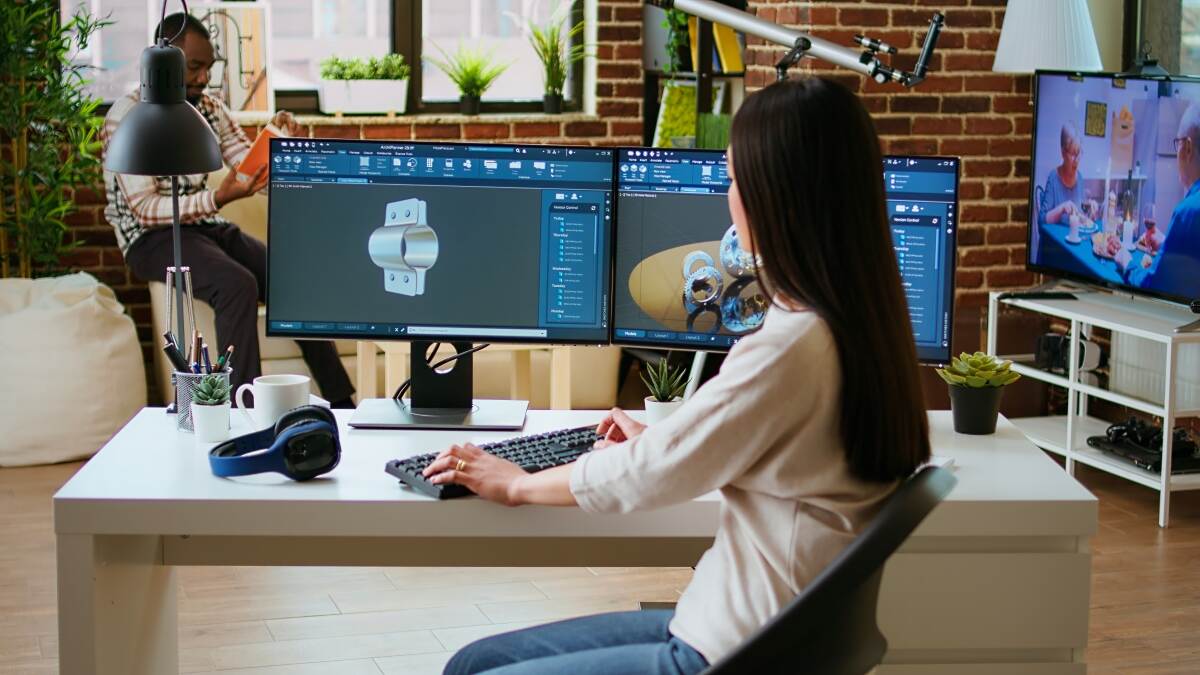
Comparing CAM platforms on toolpath features rarely settles anything. All four of the systems covered here generate good toolpaths, support multi-axis work and include simulation. The decisions that actually separate them are structural: whether the CAM lives inside your CAD system or beside it, who maintains your post processors, how deeply the software verifies code before it reaches a machine, and what happens to your licences and libraries if you ever want to switch.
This comparison looks at Mastercam, SolidCAM, Autodesk Fusion 360 and hyperMILL against those criteria. It is written from the perspective of a manufacturer that programs parts every day rather than from a vendor position, which means it names weaknesses on all four.
| Platform | Arquitetura | Strongest at | Melhor ajuste |
| Mastercam | Standalone CAD/CAM, with an integrated version for SolidWorks | Breadth of machine support, post ecosystem, available talent | General job shops running mixed work across many machines |
| SolidCAM | Integrated inside SolidWorks, Inventor and Solid Edge | Single-window workflow and automated roughing parameters | Shops standardised on one CAD system wanting consistent programming |
| Fusão 360 | Cloud-connected integrated CAD/CAM | Low entry cost, editable posts, fast onboarding | Small shops, prototyping, product teams programming their own parts |
| hyperMILL | Standalone with hyperCAD-S, or integrated in SolidWorks and Inventor | Simultaneous 5-axis and NC-code-level simulation | Aerospace, mould and die, medical and complex 5-axis work |
If a single sentence helps: Mastercam suits variety, SolidCAM suits standardisation, Fusion 360 suits low cost and small teams, and hyperMILL suits complexity. Those are tendencies rather than rules, and the sections below explain where each one breaks down.
Architecture is the first real decision
Before any toolpath comparison, decide whether you want CAM inside your CAD environment or separate from it. This choice affects daily workflow more than any individual feature.
Integrated CAM
SolidCAM runs inside SolidWorks, Autodesk Inventor and Siemens Solid Edge. The model and the programming live in the same window, so a design revision updates the CAM job without an export step. For a shop whose customers all send native files from one CAD system, this removes a recurring source of friction and version confusion.
The cost is dependency. Your CAM is tied to a CAD licence you must also maintain, and if a customer sends a model from a different system it has to be translated before it becomes useful.
Standalone CAM
Mastercam operates as its own CAD/CAM environment and imports from essentially every common format. A job shop receiving files from dozens of customers benefits from that neutrality, and programmers are not blocked when a CAD licence is unavailable. Mastercam also offers an integrated version that runs inside SolidWorks for shops that want both.
The trade-off is a translation step and a second modelling environment to learn. Repairing or modifying imported geometry in a CAM system is workable but rarely as comfortable as editing a native model.
Cloud-connected
Fusion 360 combines CAD, CAM and simulation in one subscription product with cloud storage and collaboration built in. That suits distributed teams and lowers the barrier for engineers who design and program the same part. It also raises questions that manufacturers take seriously, including data residency, customer confidentiality and what happens when connectivity fails. Those questions have answers, but they need asking before a shop commits.
Roughing strategies compared honestly
Each vendor markets a signature roughing technology. Mastercam has Dynamic Motion, SolidCAM has iMachining, Fusion 360 has Adaptive Clearing and hyperMILL has its MAXX Machining package.
The important thing to understand is that these belong to the same family. All of them keep the tool engagement angle roughly constant, use a large axial depth with a light radial width, and curve the path through corners rather than turning into them. The physics is shared. What differs is how much of the parameter selection the software does for you.
SolidCAM makes the strongest claim here, because iMachining includes a technology wizard that calculates feeds, speeds and stepovers from material, tool and machine inputs rather than leaving them to the programmer. In a shop where several people program and results vary between them, that consistency has real value. In a shop with one experienced programmer who already has proven parameter sets, the benefit is smaller.
Whichever platform you use, the underlying principles are what determine results. Light radial engagement, full flute depth, constant engagement through corners, and a feed rate corrected for radial chip thinning. Our guide to fresagem CNC de alta velocidade covers the calculations behind these strategies, including why the feed has to rise as the stepover falls.
A practical warning applies to all four. Aggressive roughing puts real load on spindles and holders. On an older or lighter machine, the limiting factor is the machine rather than the software, and buying a CAM package will not change that.
Multi-axis capability
All four handle 3-axis and 3+2 positional work competently. The differences appear in simultaneous 5-axis machining.
| Platform | Simultaneous 5-axis position | Practical note |
| Mastercam | Comprehensive multi-axis suite across mill, lathe and mill-turn | Broad machine and configuration support suits varied equipment |
| SolidCAM | Full simultaneous 5-axis within the integrated environment | Sensible upgrade path for shops growing into 5-axis from 3-axis |
| Fusão 360 | Available through an additional machining extension | Capable, though the extension changes the cost comparison |
| hyperMILL | Specialist strategies including impeller, blade and tube packages | The strongest option for genuinely complex 5-axis geometry |
A shop that has never run 5-axis often underestimates one point. The hardest part is not generating the toolpath. It is collision avoidance across the whole machine envelope, tool reach and orientation, and fixturing that keeps the part accessible from every required angle. Software that handles these well is worth more than software with a longer strategy list.
This is also why the machine decision and the software decision are connected. Our comparison of 5-axis and 3-axis CNC machining explains where the extra capability pays for itself on real parts, which is the question that should come before any CAM evaluation.
Simulation: three different things sold under one word
Every CAM package claims simulation, and the claims cover very different capabilities. Separating them is the most useful thing a buyer can do during an evaluation.
| Level | What it verifies | What it cannot catch |
| Toolpath verification | Stock removal against the model, gouges and uncut material | Anything about the machine or the posted code |
| Machine simulation | Collisions with fixtures, holders, table and machine structure, plus axis limits | Errors introduced by the post processor |
| NC code simulation | The posted program interpreted through a virtual controller | Physical events such as workholding slip or material variation |
The third level is where the difference between platforms becomes commercially significant. A post processor sits between CAM and the control, and errors introduced there are invisible to any check performed on the CAM side. Incorrect tool length compensation, the wrong working plane before a rotated operation and a rapid move commanded through the part all pass a toolpath check and still crash a machine.
hyperMILL positions its virtual machining capability around simulating the actual NC output rather than the internal toolpath, which is a genuine architectural difference rather than a marketing one. Mastercam provides machine simulation with kinematic models. Many shops running high-value work also use independent verification software alongside their CAM, which is a reasonable approach when the parts justify it.
Because the terminology is used loosely across the industry, it is worth understanding what each level actually does before comparing vendor claims. Our guide to digital twins and CNC machining simulation sets out the distinctions and explains where verification changes outcomes rather than only adding confidence.
Post processors, the criterion that decides shop floor output
Post processors receive less attention than toolpath features and cause more problems. The post translates CAM output into the specific dialect your control speaks, and a post that handles most situations correctly but mishandles one canned cycle will waste more time than any toolpath advantage recovers.
The four platforms differ meaningfully here:
- Mastercam has a long-established post library and a large reseller network that develops and maintains posts. For an unusual control or a machine with non-standard options, the depth of that ecosystem is a practical advantage.
- SolidCAM supplies and maintains posts through its own channel, with development handled by the vendor and its partners.
- Fusion 360 uses an open, script-based post format that a competent user can read and edit, supported by a large public library. Shops that want to control their own posts value this. Shops without that capability still depend on someone else.
- hyperMILL posts are developed by the vendor, consistent with its focus on high-value machine configurations.
Two questions are worth asking any vendor before purchase. Who develops the post for my specific machine and control, and what does it cost when I add a machine in two years? Vague answers to those questions predict future frustration accurately.
Post behaviour also interacts with shop floor practice, particularly work offsets and datum strategy. Our guide to CNC machine setup covers the practices that a correct post is designed to support.
Licensing, cost structure and the cost of changing later
Published list pricing is limited in this market. Mastercam, SolidCAM and hyperMILL are generally quoted through resellers and vary by module, seat type and region, while Fusion 360 is sold on published subscription tiers with extensions charged separately. Any specific figure quoted in an article will be wrong somewhere, so the useful comparison is structural rather than numerical.
Four cost elements matter:
- Licence model. Perpetual licences with annual maintenance and subscription models both exist across these vendors, and terms change. Confirm current options directly rather than relying on general descriptions.
- Modules. Multi-axis, mill-turn, wire EDM and advanced simulation are frequently separate purchases. A base comparison between platforms is misleading unless the same capability set is included on both sides.
- Post processor development. Usually charged per machine and control combination, and easy to forget when budgeting.
- The cost of changing later. This is the largest and least visible item. Migrating CAM means retraining programmers, rebuilding tool and machine libraries, redeveloping posts, and accepting reduced output during the transition. Legacy programs generally do not transfer.
That last point should shape the decision more than it usually does. Buying for the work you run today, without regard to where the shop will be in three years, is what forces a migration that costs far more than the original licence difference.
Availability of trained programmers
A criterion that rarely appears in feature comparisons and often decides the outcome in practice. Mastercam is widely taught in technical colleges and apprenticeship programmes, particularly in North America, so the pool of machinists who already know it is large. A shop that can hire a programmer who needs no platform training has a real operational advantage.
Fusion 360 has built a similarly broad base among newer entrants to the trade through its education and hobbyist reach, though that familiarity often sits at a lighter level than production programming requires.
SolidCAM and hyperMILL have smaller trained populations, which matters more in some regions than others. If you expect to hire programmers rather than develop them internally, check the local situation before deciding. If you develop people internally, this criterion carries much less weight.
Choosing between them
Work through these in order rather than starting from a shortlist of products.
- Identify your constraint. Is it programming time, part complexity, consistency between programmers, machine variety, or budget? Each points to a different platform.
- Decide the CAD question. If everything arrives in one CAD format, integrated CAM is attractive. If files come from everywhere, standalone neutrality is worth more.
- Project three years ahead. If 5-axis or mill-turn is on the roadmap, evaluate that capability now rather than planning to migrate later.
- Test post processors during the trial. Post a real program for your actual control and run it, rather than accepting a demonstration on a generic machine.
- Test with your own difficult part. Vendor demonstrations use geometry chosen to suit the software. Your hardest current job is a far better benchmark.
- Compare like with like. Include every module needed to match the capability set, plus post development, training and maintenance.
What this means if you buy machined parts rather than software
If you are sourcing components rather than choosing a CAM seat, the platform your supplier uses matters less than what they do with it. Three things are worth asking about, and none of them require a brand name in the answer:
- Verification level. Does the supplier simulate the posted program against a machine model, or only check the toolpath? This affects the risk of a crash on your expensive stock rather than only the supplier’s risk.
- Cycle time accuracy. Quotes built from CAM estimates are systematically optimistic, because CAM does not account for acceleration, look-ahead or corner feed limiting. Verified cycle times produce delivery dates that hold.
- Design feedback quality. A supplier whose programming environment surfaces reachability and collision problems early can tell you about a difficult feature before you commit to the design, not after the first article fails.
The software is a means to those outcomes rather than the outcome itself. Our overview of the CNC machining process explains how a part travels from CAD model to finished component and where programming decisions affect the result you receive.
Making the decision with your own work
There is no best CAM software in general, only a best fit for a specific combination of parts, machines, people and budget. A shop running varied job work on many machine types, a shop standardised on one CAD system, a two-person prototype operation and an aerospace 5-axis specialist will reach four different correct answers from the same evaluation.
Whatever platform you choose, benchmark it on your own hardest part, on your own control, with your own post. Everything else in an evaluation is secondary to whether the program you generate runs correctly on the machine you own.
Yicen Precision programs and machines components across more than 300 CNC machines in Shenzhen, covering 3-axis, 4-axis and 5-axis milling, turning, mill-turn, wire EDM, drilling and precision grinding, in 50 or more materials and to tolerances of plus or minus 0.005 mm. Every order includes CMM inspection and a first article report, and our engineers return design-for-manufacturability feedback within 24 hours of receiving a model. Send a drawing to Precisão Yicen for a review of your part, or explore our Serviços de maquinagem CNC to see the full process range.
Perguntas frequentes
P: O Mastercam ou o SolidCAM é melhor para a programação de CNC?
R: Nenhuma das duas é melhor em termos gerais. O Mastercam é adequado para oficinas que realizam trabalhos variados em diversos tipos de máquinas, enquanto o SolidCAM é adequado para oficinas que utilizam um único sistema CAD e que pretendem obter resultados de programação consistentes e automatizados entre vários programadores.
P: O Fusion 360 é adequado para a maquinação de produção?
R: Sim, para muitas aplicações, especialmente em oficinas de menor dimensão e na prototipagem. O trabalho multieixos requer uma extensão de maquinagem adicional, e as operações de maior dimensão devem avaliar a compatibilidade com pós-processadores e o tratamento de dados antes de avançarem com essa opção.
P: O que distingue o hyperMILL das outras plataformas?
R: O seu foco na maquinação simultânea em 5 eixos e na simulação do código NC gerado através de um controlador virtual, em vez da trajetória interna da ferramenta. Essa combinação é adequada para os setores aeroespacial, de moldes e matrizes e de componentes médicos complexos.
P: Por que razão os pós-processadores são tão importantes numa comparação de CAM?
R: Porque o programa pós-processador converte a saída do CAM para o «dialeto» específico do seu sistema de controlo, e os erros introduzidos nessa fase não são detetados pela verificação do percurso da ferramenta. Um programa pós-processador que trate incorretamente um ciclo custa mais tempo do que qualquer vantagem obtida com o percurso da ferramenta consegue compensar.
P: Quanto custa o software CAM?
R: A maioria destas plataformas é cotada através de revendedores, em vez de ter um preço de tabela, e módulos como o de múltiplos eixos são frequentemente cobrados à parte. É importante incluir o desenvolvimento pós-venda, a formação e a manutenção na comparação, uma vez que os preços das licenças de base, por si só, não são comparáveis.

 Portuguese
  English
  French
  Spanish
  Japanese
  German