What is CAM software for CNC? How does CAM turn a CAD model into machine instructions? What features matter when selecting CNC programming software? How do 3-axis, 4-axis, and 5-axis machining affect CAM requirements? And how can the right CAM workflow improve machining accuracy, cycle time, and production consistency?
The Short Answer
CAM software for CNC converts digital part designs into manufacturing instructions that CNC machines can execute. It helps engineers create toolpaths, select cutting tools, define machining operations, simulate the process, and generate machine-specific G-code through a suitable post-processor. The right system depends on your machine configuration, part complexity, number of axes, materials, tolerance requirements, production volume, and the level of automation your workflow needs.
For manufacturers producing precision components, CAM is not simply a programming tool. It connects design intent with actual machining operations. A well-planned CAM process can reduce unnecessary setups, improve toolpath efficiency, identify collisions before production, and make complex geometries easier to manufacture.
What Is CAM Software for CNC?
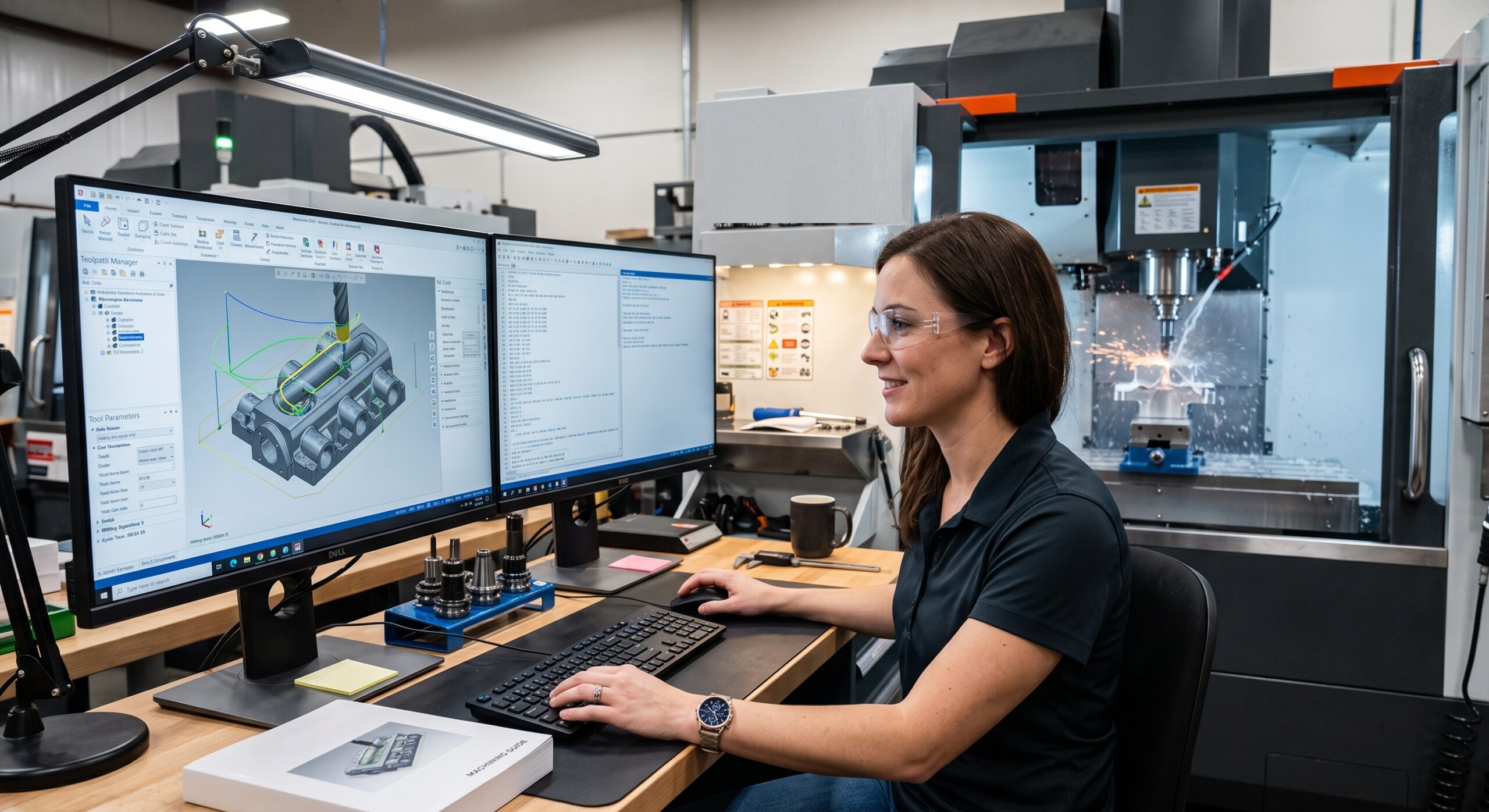
CAM stands for Computer-Aided Manufacturing. CAM software is used to plan and generate machining operations from a digital CAD model. Instead of manually writing every CNC command, the programmer uses the CAM environment to define how the cutting tool should remove material.
The software calculates tool movements based on the selected geometry, machining strategy, tooling, feeds, speeds, stock condition, and machine configuration. It then generates a toolpath that can be converted into CNC machine code using a post-processor.
This process is particularly important when manufacturing complex parts. A simple 2D component may require only basic contouring and drilling operations, while a complex aerospace or medical component can require multi-axis toolpaths, collision checking, rest machining, and detailed simulation.
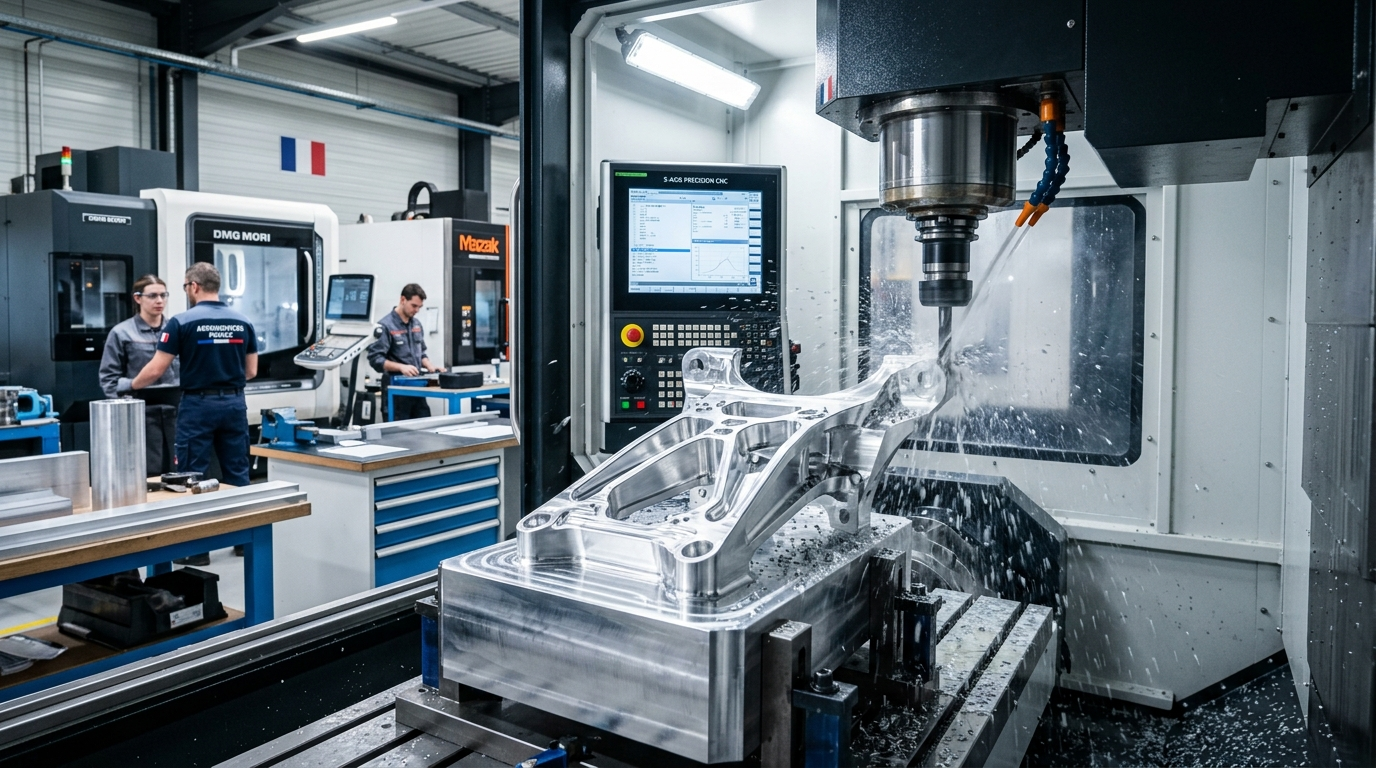
Yicen Precision's Servicios de mecanizado CNC support complex metal and plastic components through multi-axis machining, CNC milling, turning, drilling, and precision workholding.
How Does CAM Software Work With CNC Machines?
The CAM workflow normally begins with a CAD model. The engineer imports the design into the CAM environment and defines the manufacturing requirements. These may include the material, stock dimensions, machining origin, tooling, tolerances, and required surface finish.
The CAM programmer then creates machining operations. Depending on the component, these can include facing, pocketing, contouring, drilling, boring, tapping, roughing, finishing, and 3D surface machining.
The software calculates the movement of the cutting tool and creates a toolpath. Before the program reaches the CNC machine, the programmer can simulate the operation to identify potential collisions, excessive material engagement, incorrect tool movements, or other manufacturing problems.
Finally, a post-processor converts the CAM toolpath into machine-specific CNC code. This step matters because different CNC controls and machine configurations may interpret code differently.
The overall workflow can be summarized as:
CAD model → CAM setup → Tool selection → Toolpath generation → Simulation → Post-processing → CNC machining → Inspection
This digital workflow helps connect engineering, programming, machining, and quality control rather than treating each stage as an isolated process.
CAM Software vs CNC Programming Software
The terms CAM software and CNC programming software are often used interchangeably, but they can refer to slightly different functions.
CAM software focuses heavily on generating machining strategies and toolpaths from digital models. CNC programming software can be a broader term that includes tools used to create, edit, verify, manage, or optimize CNC programs.
For modern manufacturing, an integrated CAM platform can provide both functions. This is especially valuable when a manufacturer is producing parts with complicated surfaces or multiple machining operations.
| Característica | Software CAM | Basic CNC Programming Tools |
| CAD model integration | Usually available | May be limited |
| Automated toolpaths | Sí | Limited or manual |
| 3D machining | Strong capability | Often limited |
| Multi-axis programming | Available in advanced systems | Depends on software |
| Simulación | Common in professional systems | May be limited |
| Posprocesamiento | Sí | May require separate tools |
| Best use | Complex and production machining | Editing or simpler programming tasks |
The best choice depends on how your manufacturing process is structured. A company producing complex components generally benefits from an integrated CAM environment rather than relying entirely on manual code creation.
Key Features to Look for in CAM Software for CNC
Not every CAM package provides the same level of functionality. The right choice should be based on the machining problems you need to solve rather than simply the number of features listed by the software vendor.
CAD Compatibility
Your CAM software should work reliably with the CAD formats used by your engineering team. Common formats include STEP, IGES, STL, and native CAD formats.
Strong CAD compatibility reduces unnecessary file conversion and helps preserve important geometry. It also makes design changes easier to manage when a component moves through several development revisions.
2D and 3D Toolpath Strategies
Basic 2D machining may involve profiles, pockets, slots, and drilling. More advanced components require 3D strategies for curved surfaces, complex contours, and freeform geometry.
A suitable CAM system should provide enough toolpath strategies for the components your company actually manufactures.
Multi-Axis Programming
3-axis machining is sufficient for many components, but complex parts can benefit from 4-axis and 5-axis machining.
Multi-axis CAM allows the cutting tool or workpiece to move through additional axes, improving access to difficult features and reducing the number of setups.
This can be particularly important for components requiring machining on several faces. Yicen Precision supports 3-axis, 4-axis, and 5-axis CNC machining for complex geometries and precision production.
For engineers working with advanced workholding, Yicen’s article on fixturing for 5-axis CNC machining explains how fixture design affects tool access, rigidity, clearance, and setup efficiency.
Simulation and Collision Detection
Simulation is one of the most valuable CAM features because it allows programmers to evaluate a machining process before cutting material.
A good simulation should help identify collisions involving the tool, holder, fixture, machine components, and workpiece. It can also show remaining stock and help verify whether the planned machining sequence will produce the required geometry.
Simulation does not eliminate the need for engineering judgment, but it adds an important verification stage before production.
Post-Processor Support
A toolpath is not automatically the final CNC program. The CAM system needs an appropriate post-processor to translate the toolpath into code suitable for the target machine and controller.
When evaluating CAM software, check whether the system supports the CNC machines and controllers used in your production environment. A powerful CAM package is of limited value if its post-processing workflow does not reliably support your equipment.
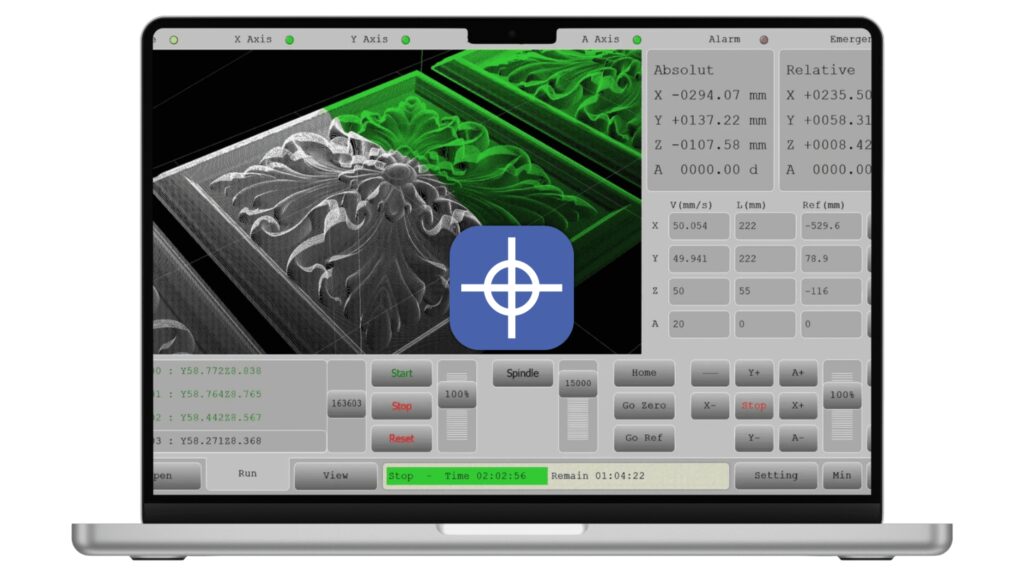
How to Choose the Right CAM Software for CNC
Choosing CAM software should start with your manufacturing requirements rather than software popularity.
First, identify the types of CNC machines you operate. A shop using standard 3-axis milling has different requirements from a manufacturer running simultaneous 5-axis machining, CNC turning, mill-turn equipment, or automated production cells.
Next, evaluate the complexity of your parts. If most components are prismatic with basic holes and pockets, a simpler CAM environment may be sufficient. If your parts contain complex surfaces, deep cavities, undercuts, or multi-axis features, advanced toolpath strategies become much more important.
Production volume is another consideration. A system that saves several minutes per part can produce significant savings when multiplied across thousands of components. For prototype work, ease of programming and rapid design changes may be more important than extensive automation.
Your team should also consider usability. CAM software is ultimately operated by programmers and engineers. A system with advanced capabilities but a difficult workflow may create more training and programming overhead than expected.
| Selection Factor | What to Evaluate | Por qué es importante |
| CNC machine type | 3-axis, 4-axis, 5-axis, turning, mill-turn | Determines required programming capabilities |
| Part complexity | 2D, 3D, freeform, multi-sided | Defines toolpath requirements |
| Materiales | Aluminum, steel, titanium, plastics, etc. | Influences cutting strategies |
| Volumen de producción | Prototype, low volume, mass production | Affects automation value |
| Simulación | Tool, fixture, machine collision checking | Reduces programming risk |
| Post-processor | Machine and controller compatibility | Produces usable CNC code |
| CAD integration | Supported file formats and workflow | Improves design-to-production continuity |
| Automatización | Templates, rules, feature recognition | Reduces repetitive programming |
| Training | Interface and available support | Influences adoption and productivity |
| Coste | Licensing, training, maintenance | Determines long-term value |
Why Toolpath Quality Matters in CNC Machining
The CAM system itself does not guarantee a good machining result. Toolpath planning remains an engineering task.
An inefficient toolpath can create unnecessary cutting movements, increase cycle time, generate excessive tool wear, or leave unwanted material that requires additional operations.
A well-planned toolpath considers cutting direction, stepovers, depth of cut, tool engagement, material removal, tool rigidity, and finishing requirements.
For example, roughing operations are normally designed to remove material efficiently while maintaining suitable cutting conditions. Finishing operations then focus on achieving the required geometry and surface quality.
The relationship between CAM programming and workholding is also important. If a fixture blocks tool access, the programmer may need additional setups or different machining strategies. Yicen’s Guía sobre sistemas de sujeción en CNC explains how standard workholding, modular fixtures, soft jaws, and dedicated fixtures affect setup time, repeatability, and production efficiency.
CAM Software and CNC Machining Accuracy
CAM contributes to machining accuracy, but accuracy is the result of the complete manufacturing system.
The machine itself, cutting tools, workholding, material stability, programming strategy, thermal conditions, inspection process, and operator experience can all affect the final component.
For this reason, engineers should not evaluate CAM software only by its ability to generate a toolpath. The software should fit into a controlled manufacturing workflow.
Yicen Precision states that its CNC machining operations include dimensional inspection, CMM measurement, GD&T verification, material traceability, and quality documentation. Its service information also identifies tight-tolerance machining capability down to approximately ±0.001 inch (±0.025 mm) depending on project requirements.
This is where CAM, machining, and inspection become connected. A programmed feature is only useful when the finished part can be manufactured and verified against the engineering specification.
CAM Software for CNC Prototyping and Production
CAM is useful throughout the product development cycle.
During prototyping, engineers may need to make frequent design changes. The CAM workflow should make it relatively easy to update geometry, revise operations, and regenerate toolpaths without rebuilding the entire program.
For low-volume manufacturing, setup reduction and repeatability become increasingly important. Reusable machining templates, tool libraries, work offsets, and standardized strategies can reduce programming time between similar jobs.
For higher-volume production, automation becomes more valuable. Feature recognition, standardized tool libraries, templates, and repeatable programming methods can reduce repetitive work and improve consistency between batches.
Yicen Precision supports rapid prototyping, low-volume manufacturing, and end-use production, allowing CNC machining workflows to scale as project requirements change.
Common CAM Programming Mistakes to Avoid
One common mistake is selecting CAM software based only on its feature list. A system may offer hundreds of functions that your team never uses, while lacking a workflow that is important to your machines.
Another problem is ignoring post-processing requirements. A toolpath that looks correct in CAM still needs to produce safe and appropriate machine code.
Poor tool libraries can also create inconsistent results. Tools should have accurate dimensions and cutting parameters so that the CAM simulation and actual machining process remain aligned.
Insufficient simulation is another risk. Programmers should verify the machining sequence, stock removal, tool movement, fixture clearance, and machine access before production.
Finally, CAM should not be separated from design for manufacturability. A difficult geometry may be technically machinable but unnecessarily expensive. Reviewing the design before programming can identify opportunities to simplify features, reduce setups, improve tool access, and control manufacturing costs.
When Should You Upgrade Your CAM Software?
An upgrade may make sense when your current system cannot efficiently support the machines or parts you now manufacture.
Warning signs include frequent manual programming, limited multi-axis capability, poor simulation, unsupported machine controllers, repeated post-processor problems, excessive programming time, or difficulty maintaining consistent toolpaths.
However, upgrading software is not automatically the best solution. Sometimes the bigger problem is an inconsistent programming process, outdated tooling data, poor fixture design, or insufficient training.
A practical evaluation should compare the expected productivity improvement against licensing, implementation, training, and maintenance costs.
Reflexiones finales
CAM software for CNC is a critical link between digital product design and physical manufacturing. It converts CAD geometry into planned machining operations, generates toolpaths, supports simulation, and produces machine-specific CNC code through post-processing.
The best CAM system is not necessarily the most expensive or feature-rich option. It is the one that matches your CNC equipment, part complexity, materials, production volume, programming skills, and quality requirements.
For manufacturers working with complex precision components, CAM should also be considered alongside CNC machine capability, workholding, tooling, inspection, and design for manufacturability. When these elements work together, manufacturers can reduce unnecessary setups, improve repeatability, control machining time, and produce more consistent parts.
If you are developing a prototype or planning production for precision metal or plastic components, Yicen Precision provides servicios de mecanizado CNC a medida covering multi-axis milling, turning, tooling, workholding, inspection, and production support.
Preguntas frecuentes
What is CAM software for CNC?
CAM software for CNC converts CAD designs into machining toolpaths and machine instructions. It helps programmers plan cutting operations, simulate machining, and generate CNC code through a suitable post-processor.
Is CAM software the same as CNC programming software?
The terms can overlap, but CAM generally focuses on creating machining strategies and toolpaths from digital models. CNC programming software can refer more broadly to tools used to create, edit, verify, and manage CNC programs.
Do I need CAM software for 3-axis CNC machining?
Not every 3-axis job requires advanced CAM software. Simple operations can sometimes be programmed with basic tools, while complex 3D components benefit significantly from professional CAM capabilities.
What CAM features are most important for 5-axis machining?
Multi-axis toolpath generation, collision detection, machine simulation, reliable post-processing, tool-axis control, and strong fixture awareness are particularly important for 5-axis machining.
How does CAM improve CNC machining?
CAM can improve machining by creating optimized toolpaths, reducing unnecessary movements, supporting simulation, improving repeatability, and helping programmers plan complex operations before material is cut.
What should I consider when choosing CNC programming software?
Consider your CNC machines, controllers, part complexity, number of axes, materials, production volume, CAD compatibility, simulation capabilities, post-processors, automation features, training requirements, and total software cost.
About the Author
Escrito por el equipo de ingeniería de precisión de Yicen. Entre todos, llevamos más de diez años dedicados al control de tolerancias y a la ingeniería de calidad, fabricando piezas de precisión para clientes de los sectores de la automoción, médico y de semiconductores. Yicen Precision cuenta con más de 300 máquinas en Shenzhen, posee las certificaciones ISO 9001:2015, ISO 13485, ISO 14001 e IATF 16949, y realiza inspecciones con CMM y XRF. Descubre nuestra Servicios de mecanizado CNC de alta precisión o ponte en contacto con nuestros ingenieros.