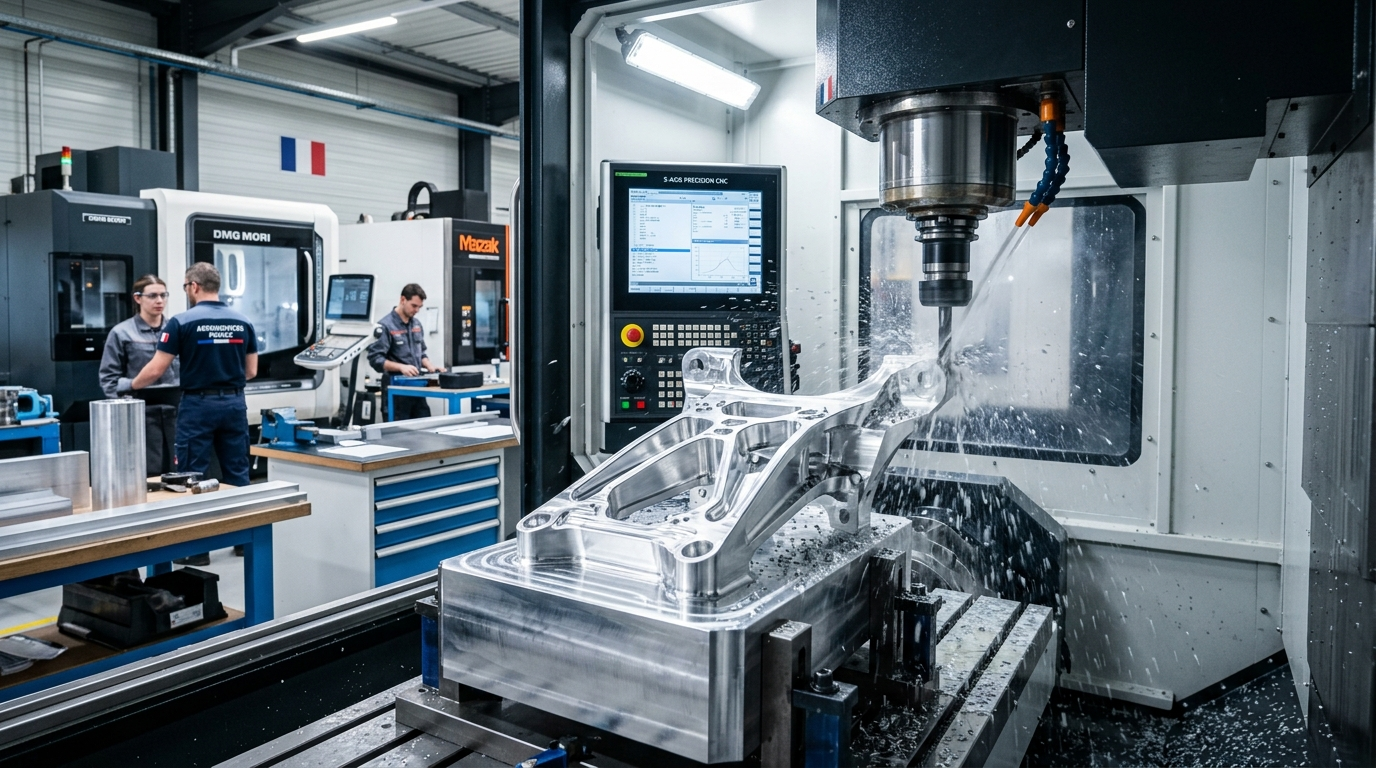
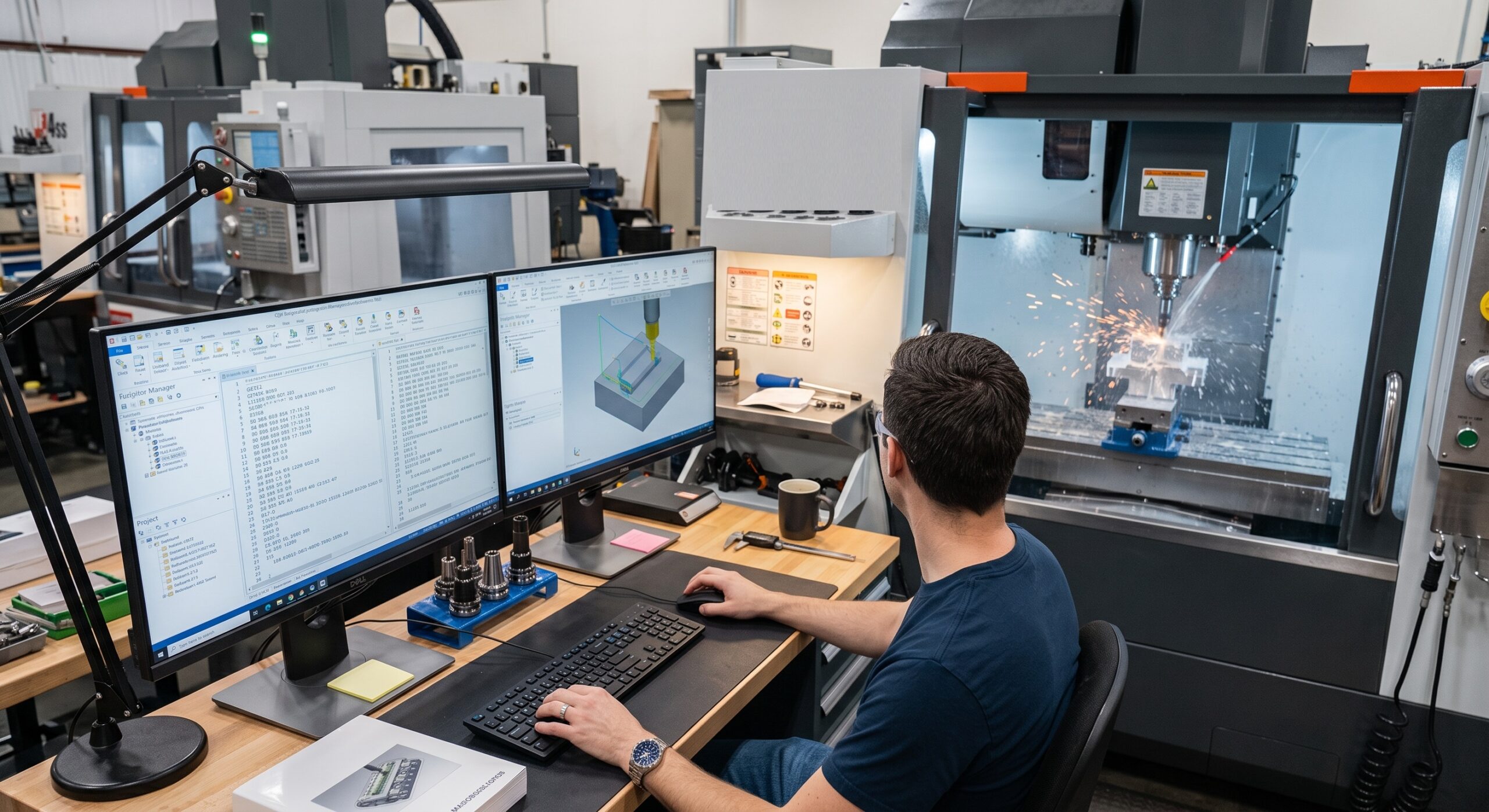
What is CNC programming software, and how does it control a CNC machine? What are the main types of CNC programming software used in modern manufacturing? Which features matter when choosing software for CNC milling, turning, drilling, or multi-axis machining? How does CNC programming software differ from CAM software, and what should manufacturers consider before investing in a solution?
The Short Answer
CNC programming software is used to create, edit, simulate, verify, and manage programs that control CNC machine tools. Modern systems can generate toolpaths from CAD models, convert them into machine-specific code through post-processors, simulate machining operations, and help programmers reduce programming errors. The right software depends on the CNC machines, number of axes, controller, part complexity, materials, production volume, CAD workflow, and level of automation required.
For precision manufacturing, CNC programming software is only one part of the production process. The software must work together with accurate machines, suitable tooling, reliable workholding, inspection procedures, and experienced engineering decisions. Yicen Precision provides CNC machining for prototypes and production parts using 3-axis, 4-axis, and 5-axis machining, with engineering and quality-control processes supporting complex components.
What Is CNC Programming Software?
CNC programming software is a digital tool used to create instructions for computer numerical control machines. These instructions tell a machine how to move its axes, operate the spindle, use cutting tools, and perform machining operations.
A CNC program can contain commands for positioning, cutting, drilling, spindle speed, feed rate, coolant, tool changes, and other machine functions. Traditionally, programmers could write these instructions manually using G-code and M-code. For simple parts, manual programming can still be practical. For complex components, however, manually creating and verifying every movement can become time-consuming and increases the risk of programming errors.
Modern CNC programming software reduces this workload by providing graphical programming, CAD integration, automated toolpath generation, simulation, and post-processing.
The basic workflow is:
CAD design → CNC programming → Toolpath generation → Simulation → Post-processing → CNC machine → Inspection
This workflow allows engineers to evaluate the manufacturing process before material is actually cut.
How Does CNC Programming Software Work?
The process usually begins with a digital model of the component. The model can come from CAD software or another compatible design platform. The programmer imports the geometry and defines how the machine should manufacture the part.
The next step is creating the machining setup. This can include selecting the raw material or stock size, establishing work coordinates, identifying the machine, and defining tools.
The programmer then selects machining strategies. Depending on the component, these may include facing, pocketing, contouring, drilling, tapping, roughing, finishing, boring, or 3D surface machining.
The software calculates the tool movements required for each operation. More advanced systems can automatically recognize certain features and recommend machining strategies.
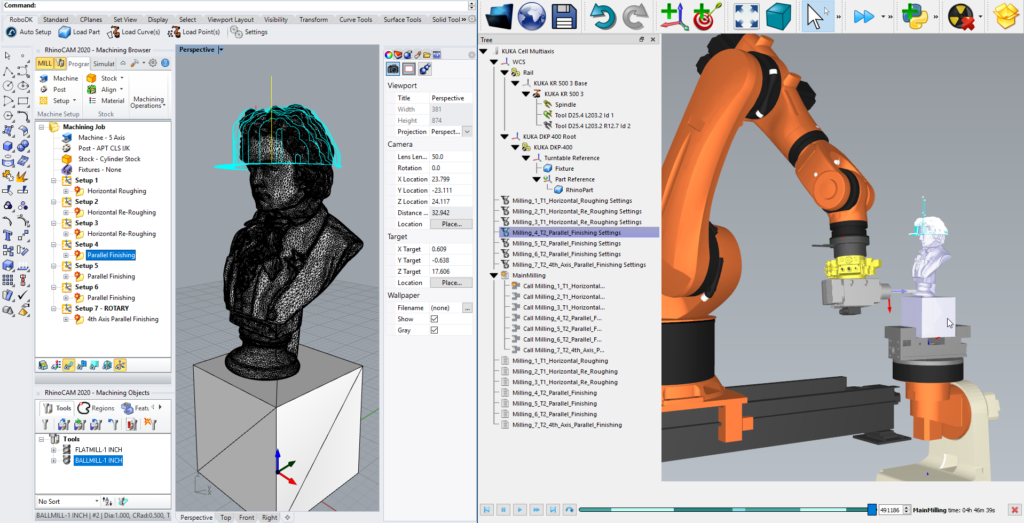
Simulation is then used to review the planned operation. The programmer can check tool movement, stock removal, tool and fixture clearance, and possible collisions.
After verification, a post-processor converts the toolpath into code suitable for the specific CNC machine and controller.
The final program is transferred to the CNC machine, where the part is manufactured and inspected against the engineering requirements.
CNC Programming Software vs CAM Software
CNC programming software and CAM software are closely related, which is why the terms are sometimes used interchangeably.
CAM, or Computer-Aided Manufacturing, generally focuses on planning manufacturing operations and generating toolpaths from digital part geometry. CNC programming software can be a broader term that includes CAM-based programming, G-code editing, verification, program management, and machine-specific programming tools.
In many modern manufacturing environments, one integrated platform can handle most of these functions.
| Capability | CNC Programming Software | CAM Software | Manual G-Code Programming |
| CAD integration | Often available | Strong | Not normally available |
| Automated toolpaths | Depends on system | Core function | No |
| G-code editing | Common | Usually available | Core function |
| 3D machining | Advanced systems | Strong | Difficult manually |
| Multi-axis programming | Advanced systems | Strong | Complex |
| Simulation | Common in professional systems | Common | Usually separate |
| Post-processing | Often supported | Core requirement | Manually managed |
| Best suited for | Programming and verification | Toolpath planning and manufacturing | Simple or highly controlled programs |
The important question is not which label a software package uses. The better question is whether it can support your machines, components, programming workflow, and production requirements.
Main Types of CNC Programming Software
CNC programming software can be divided into several categories based on how it is used.
G-Code Editors
G-code editors allow programmers to create, modify, inspect, and organize CNC programs directly.
They are useful when an existing program needs a small adjustment, such as changing a coordinate, feed rate, tool number, or machine command. They are also useful for simple machining jobs where a complete CAM workflow would be unnecessary.
However, G-code editing becomes less practical when a component contains complex 3D surfaces or requires extensive multi-axis movements.
CAM-Based CNC Programming Software
CAM-based systems generate machining toolpaths from CAD geometry. These systems are widely used for production CNC machining because they can automate many calculations that would otherwise require manual programming.
They are particularly useful for milling, turning, drilling, 3D machining, and complex components.
Advanced CAM platforms can also provide tool libraries, machining templates, feature recognition, simulation, rest machining, and multi-axis strategies.
CNC Simulation and Verification Software
Simulation software focuses on verifying CNC programs before production.
It can help identify collisions, excessive tool movement, incorrect machining sequences, and other potential problems. Some advanced systems simulate not only the cutting tool and workpiece but also the machine structure, fixture, spindle, and rotary axes.
Simulation is especially valuable for expensive materials, complex parts, and multi-axis machining.
Conversational CNC Programming Software
Conversational programming allows operators to create machining programs through guided menus and machine interfaces instead of writing complete G-code manually.
This approach can be efficient for straightforward operations and shop-floor programming. It is less suitable for highly complex geometries that require advanced toolpath control.
Specialized CNC Programming Systems
Some software is designed around specific machining processes or machine types. Examples include software focused on CNC turning, wire EDM, router operations, Swiss-type machining, or advanced 5-axis manufacturing.
The advantage is process-specific functionality. The limitation is that the software may not provide the same flexibility across unrelated machining operations.
Key Features to Look for in CNC Programming Software
Choosing software based only on its feature count can lead to unnecessary cost and complexity. Manufacturers should focus on features that directly support their machining workflow.
CAD File Compatibility
CAD compatibility is important because CNC programming often starts with a digital model.
The software should support the file formats used by your engineering team. Common formats include STEP, IGES, STL, DXF, and native CAD formats.
Strong CAD integration also makes design revisions easier to manage. When an engineer changes a feature, the programming workflow should allow the manufacturing operations to be updated without unnecessary rework.
Toolpath Generation
Toolpath generation is one of the most important functions of modern CNC programming software.
For milling, the system may need to support facing, pocketing, contouring, adaptive roughing, drilling, thread milling, and surface finishing. Turning applications may require facing, profiling, grooving, threading, boring, and other operations.
The software should provide enough control to balance machining time, tool life, surface quality, and dimensional accuracy.
Multi-Axis Programming
Manufacturers producing complex components may require 4-axis or 5-axis programming.
Multi-axis programming allows the machine to approach features from different directions, reducing the need for multiple setups. This can improve access, reduce repositioning, and help maintain feature-to-feature relationships.
Yicen Precision supports 3-axis, 4-axis, and 5-axis CNC machining, making multi-axis programming relevant to its production capabilities.
For projects involving complex workholding, the fixturing for 5-axis CNC machining guide explains how tool access, fixture clearance, rigidity, and setup strategy affect 5-axis manufacturing.
Simulation and Collision Detection
A good CNC programming system should allow programmers to verify the machining process before running it on the machine.
Collision detection can help identify interference between the tool, holder, workpiece, fixture, spindle, and machine components.
This becomes increasingly important as the number of axes increases. A program that appears correct in a basic toolpath view may still create a collision when the machine’s actual movements are considered.
Post-Processor Support
A post-processor converts the generated toolpath into machine-specific CNC code.
Different machines and controllers can use different code structures and machine functions. Therefore, post-processing must be reliable for the exact machine configuration.
Before purchasing software, manufacturers should confirm that appropriate post-processors are available for their machines and controllers.
Tool and Material Libraries
Accurate tool information helps the software calculate realistic machining operations.
A useful system should allow programmers to manage tool diameter, length, holder information, cutting conditions, and other relevant parameters.
Material-specific cutting strategies can also help programmers create more consistent machining processes.
How to Choose CNC Programming Software
The best CNC programming software depends on your actual production environment.
Start by listing the CNC machines that need to be programmed. Record the machine type, number of axes, controller, rotary-axis configuration, and any special machine functions.
Next, evaluate the parts you manufacture. A company producing simple 2D brackets may not need the same software as a manufacturer producing complex 5-axis aerospace components.
Production volume also matters. In prototype manufacturing, programming flexibility and rapid design changes may have greater value. In high-volume production, automation, templates, repeatability, and cycle-time optimization become more important.
Your CAD workflow should also be considered. If engineers regularly make design changes, strong CAD integration can reduce programming rework.
Finally, evaluate training and support. A powerful system is not useful if programmers cannot use its important features efficiently.
| Selection Factor | What to Check | Why It Matters |
| Machine compatibility | Machine type, axes, controller | Ensures programs match equipment |
| CAD integration | STEP, IGES, STL, DXF, native formats | Reduces file conversion problems |
| Part complexity | 2D, 3D, multi-axis geometry | Determines programming requirements |
| Toolpath strategies | Roughing, finishing, drilling, turning | Controls machining performance |
| Simulation | Tool, fixture, and machine verification | Reduces production risk |
| Post-processor | Machine-specific code support | Produces usable CNC programs |
| Automation | Templates, feature recognition, rules | Reduces repetitive programming |
| Production volume | Prototype, low volume, production | Determines required efficiency |
| Training | Learning curve and support | Affects adoption |
| Total cost | License, training, maintenance | Shows long-term investment |
Why CNC Programming Software Matters for Precision Machining
Software does not create accuracy by itself. CNC accuracy depends on the entire manufacturing system.
The machine must be properly maintained and calibrated. Tools must be suitable and measured correctly. Workholding must provide adequate rigidity. The programming strategy must account for material and cutting conditions. Inspection must then confirm that the finished part meets the drawing.
This is why CNC programming should be considered part of a wider manufacturing workflow rather than an isolated software task.
Yicen Precision’s CNC machining service describes support for tight-tolerance metal and plastic parts, multi-axis machining, CMM inspection, GD&T verification, material traceability, and quality documentation.
Its published machining information also identifies general dimensional tolerances and tighter tolerances available depending on the design and project requirements. These specifications show why programming, machining, workholding, and inspection need to be considered together.
For engineers working with dimensional requirements, the CNC machining tolerance chart can provide additional context about tolerances, ISO 2768, and GD&T.
CNC Programming Software and Workholding
Programming decisions can affect workholding requirements, and workholding can affect programming.
For example, a part that requires machining on multiple faces may benefit from 4-axis or 5-axis machining. If the fixture blocks tool access, however, the programmer may need additional setups.
A well-designed fixture can provide better access, rigidity, and repeatability. Yicen Precision provides custom jig and fixture design and manufacturing as part of its manufacturing capabilities.
The company’s CNC workholding guide also explains how workholding methods influence stability, positioning, setup time, and repeatability.
This connection is important when selecting CNC programming software. Advanced programming features have greater value when the machine, tooling, and workholding can take advantage of them.
CNC Programming Software for Prototyping and Production
CNC programming requirements change as a project moves from prototype to production.
During prototyping, engineers may change dimensions, holes, pockets, materials, or other features several times. Software with strong CAD integration can make these revisions easier to manage.
In low-volume manufacturing, programming efficiency and repeatability become important. Reusable operations and templates can reduce the time required to program similar parts.
In high-volume production, automation can have an even greater impact. Standardized tool libraries, machining templates, feature recognition, and repeatable programming methods can reduce operator dependency and improve consistency.
Yicen Precision supports rapid prototyping, low-volume manufacturing, and end-use production, allowing CNC machining projects to scale according to quantity and manufacturing requirements.
Common Mistakes When Selecting CNC Programming Software
One common mistake is choosing software because it has the largest feature list. More features do not automatically mean better results.
Another mistake is ignoring machine compatibility. Software should be evaluated against the actual CNC machines and controllers used in production.
Manufacturers may also underestimate post-processor requirements. The generated program needs to match the target machine accurately.
Ignoring simulation can create additional risk, especially for complex multi-axis operations.
Training is another factor. A system may provide advanced automation and optimization features, but those benefits will not be realized if the programming team only uses basic functions.
Finally, software cost should not be evaluated only by its initial license price. Training, implementation, post-processors, maintenance, upgrades, and programming efficiency all contribute to the total cost of ownership.
When Should a Manufacturer Upgrade CNC Programming Software?
An upgrade may be justified when the current system cannot support new machines, more complex parts, or increased production requirements.
For example, manufacturers may need to reconsider their software when moving from 3-axis machining to 5-axis machining, introducing mill-turn equipment, increasing production volume, or adopting more automated programming workflows.
Other signs include excessive manual G-code editing, repeated programming errors, poor simulation, slow design updates, limited post-processing options, or increasing programming time.
However, software should not be blamed for every production problem. Inefficient tooling, poor fixture design, inconsistent processes, or inadequate training can also cause programming and machining issues.
A structured evaluation should compare the current workflow with the expected benefits of a new system.
Final Thoughts
CNC programming software has become an important part of modern precision manufacturing. It helps transform digital part designs into practical machining instructions while providing tools for toolpath generation, simulation, post-processing, and program verification.
The right solution depends on more than the software’s feature list. Machine configuration, CNC controller, number of axes, CAD workflow, part complexity, materials, production volume, workholding, and operator expertise should all be considered.
For simple components, basic programming or conversational systems may be sufficient. For complex production parts, an integrated CAM-based CNC programming system can provide stronger automation, simulation, multi-axis capabilities, and repeatable workflows.
Ultimately, software should support the complete manufacturing process. When programming, machines, tooling, workholding, and inspection are properly aligned, manufacturers can improve consistency, reduce programming risks, control cycle times, and produce parts that meet demanding engineering requirements.
Yicen Precision offers custom CNC machining services for metal and plastic components, including 3-axis, 4-axis, and 5-axis machining, CNC milling, CNC turning, prototyping, low-volume manufacturing, and production support.
Frequently Asked Questions
What is CNC programming software?
CNC programming software is used to create, edit, simulate, verify, and generate programs that control CNC machines. Modern systems can use CAD models to create toolpaths and convert them into machine-specific code.
Is CNC programming software the same as CAM software?
Not always. CAM software primarily focuses on creating machining strategies and toolpaths, while CNC programming software can also include G-code editing, verification, simulation, and program management. Many modern platforms combine these capabilities.
What is the best CNC programming software?
There is no single best option for every manufacturer. The right software should support your CNC machines, controllers, number of axes, CAD formats, part complexity, production volume, post-processors, and programming workflow.
Do CNC machines require programming software?
Not always. Simple programs can be written manually using G-code and M-code. However, programming software becomes increasingly useful as part complexity, machining operations, number of axes, and production requirements increase.
What features should I look for in CNC programming software?
Important features include CAD compatibility, toolpath generation, simulation, collision detection, multi-axis programming, reliable post-processors, tool libraries, automation, and support for the CNC machines used in your facility.
Can CNC programming software support 5-axis machining?
Yes. Advanced CNC programming and CAM systems can generate multi-axis toolpaths for 5-axis machining. They should also provide appropriate machine simulation, collision checking, and post-processing for the specific 5-axis machine.
How does CNC programming software improve manufacturing?
It can reduce manual programming work, improve toolpath planning, identify potential problems before machining, support repeatable processes, and help manufacturers manage complex CNC operations more efficiently.
Written by the Yicen Precision Engineering Team. Between us we have spent more than ten years on tolerance control and quality engineering, machining precision parts for automotive, medical, and semiconductor customers. Yicen Precision runs 300+ machines in Shenzhen, holds ISO 9001:2015, ISO 13485, ISO 14001, and IATF 16949 certifications, and inspects with CMM and XRF. Explore our high precision CNC machining services or contact our engineers.